
Nexus Intelligence
Why You Should Set Your Venmo Transactions to Private – And How to Do It
In an era where digital payments have become as commonplace as cash once was, apps like Venmo offer convenience for splitting bills, paying friends, or settling small debts. Owned by PayPal, Venmo boasts around 92 million regular users who rely on it for everything from rent shares to coffee runs.
However, there's a hidden catch: by default, your transactions are set to "public," meaning anyone with the app—or even without it in some cases—can view details about who you're paying, when, and often why, through notes or emojis. This social feed-style feature, intended to make payments fun and interactive, can inadvertently turn your financial life into an open book. If you haven't already, it's time to switch to private settings. Here's why, backed by real risks and examples, plus a simple guide to making the change.
The Benefits of Going Private
Switching to private doesn't mean losing Venmo's core functionality—it simply limits visibility to just you and the recipient. This protects your data without sacrificing convenience. You'll avoid broadcasting your life to unintended audiences, reduce scam risks, and maintain control over your digital footprint. In a world where data breaches and online threats are rampant, this small adjustment aligns with broader privacy best practices, similar to locking your social media profiles or using two-factor authentication.
How to Make Your Venmo Transactions Private
Fortunately, updating your settings is straightforward and takes just a few taps in the app. Note that changes apply to future payments by default, but you can retroactively adjust past ones too.
Here's a step-by-step guide:
(click on an photo below to enlarge)
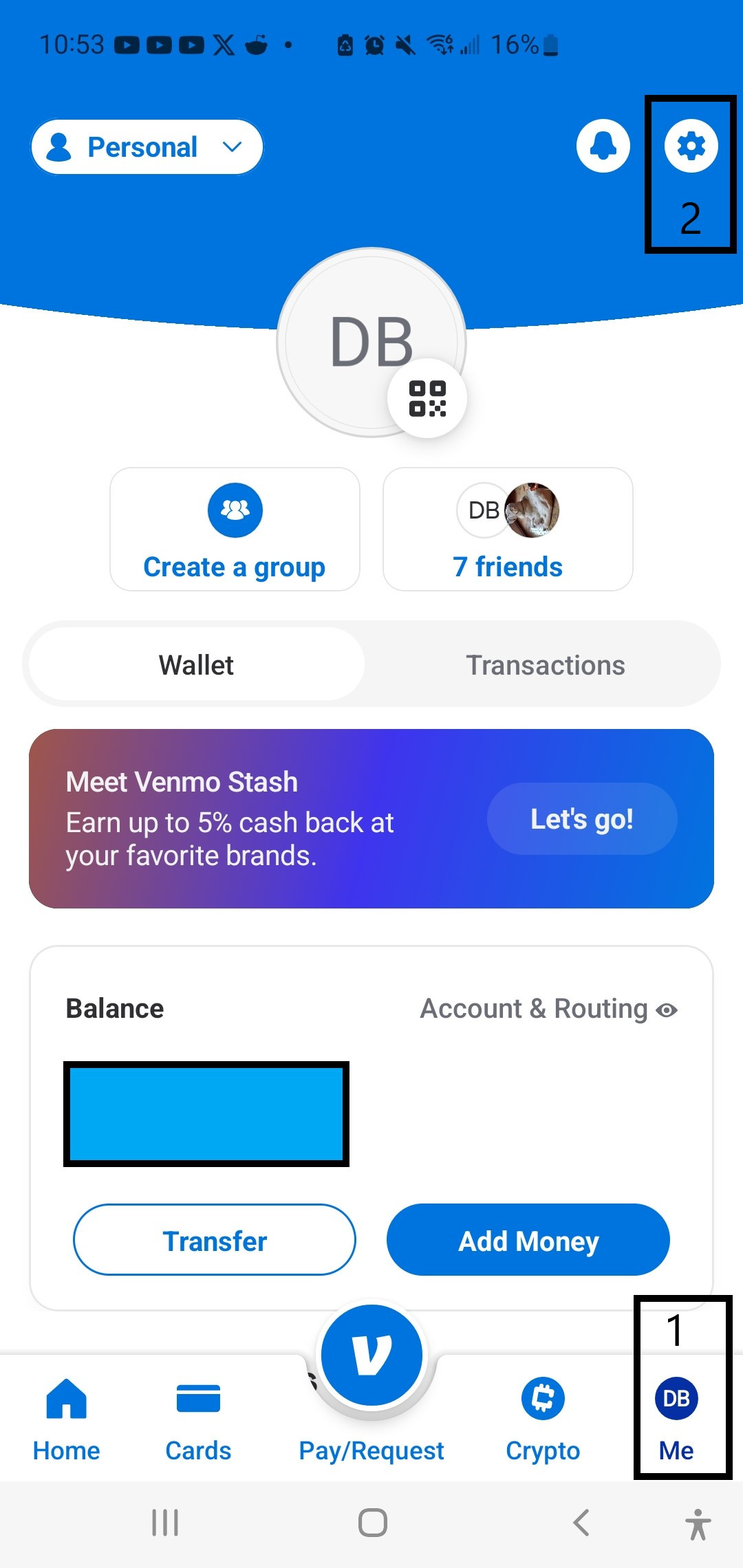
- Open the Venmo App: Launch the app on your smartphone and tap the "Me" (1) tab in the bottom-right corner (it's your profile icon).
-
Access Settings: Tap the gear icon in the top-right corner (2) to open the settings menu.
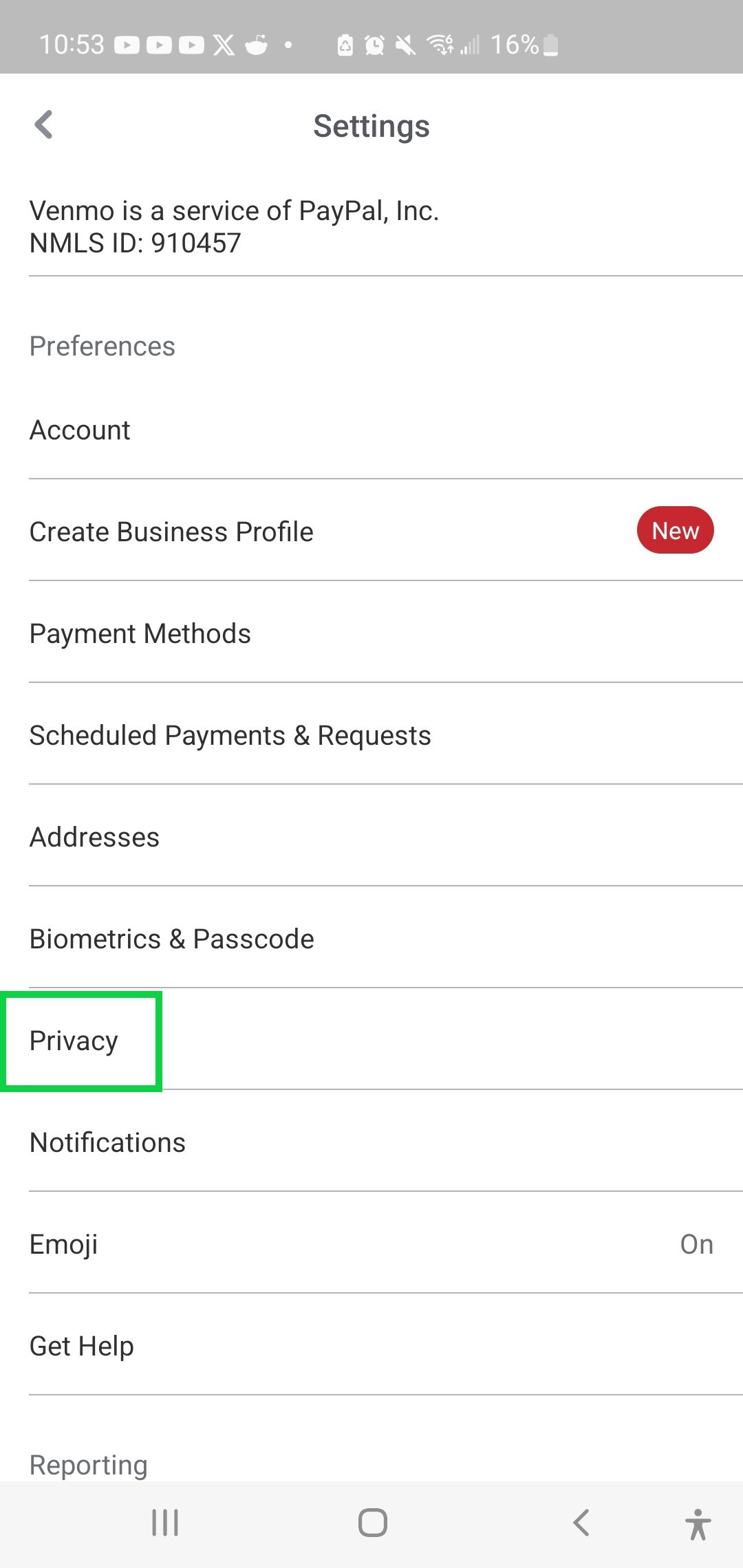
- Go to Privacy: Scroll down and select "Privacy" (green box as shown in screenshot below)
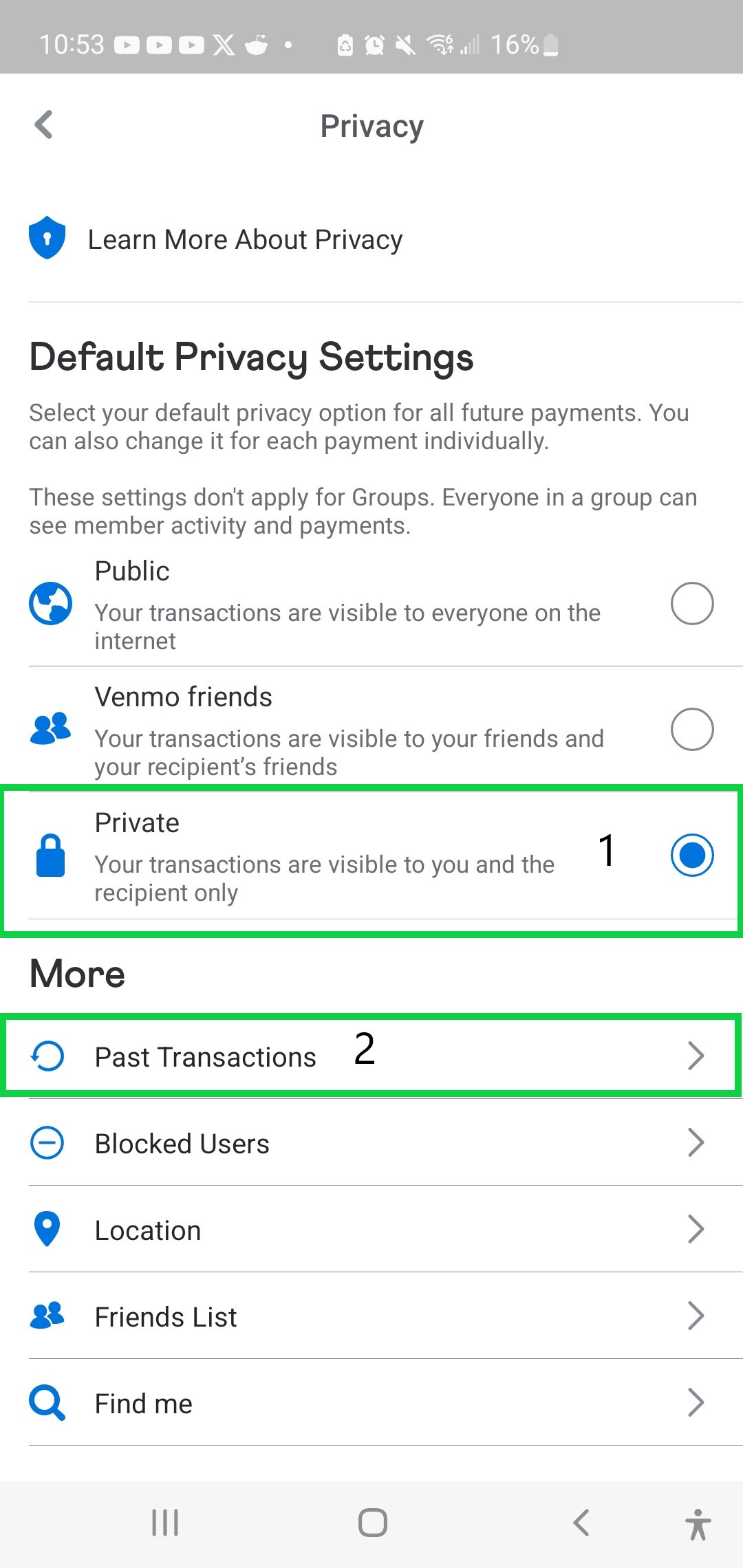
- Set Default Privacy: Under "Default Privacy Settings," choose "Private" (represented by a lock icon). This ensures future transactions are visible only to you and the recipient. Confirm any prompts, like "Change Anyway."
-
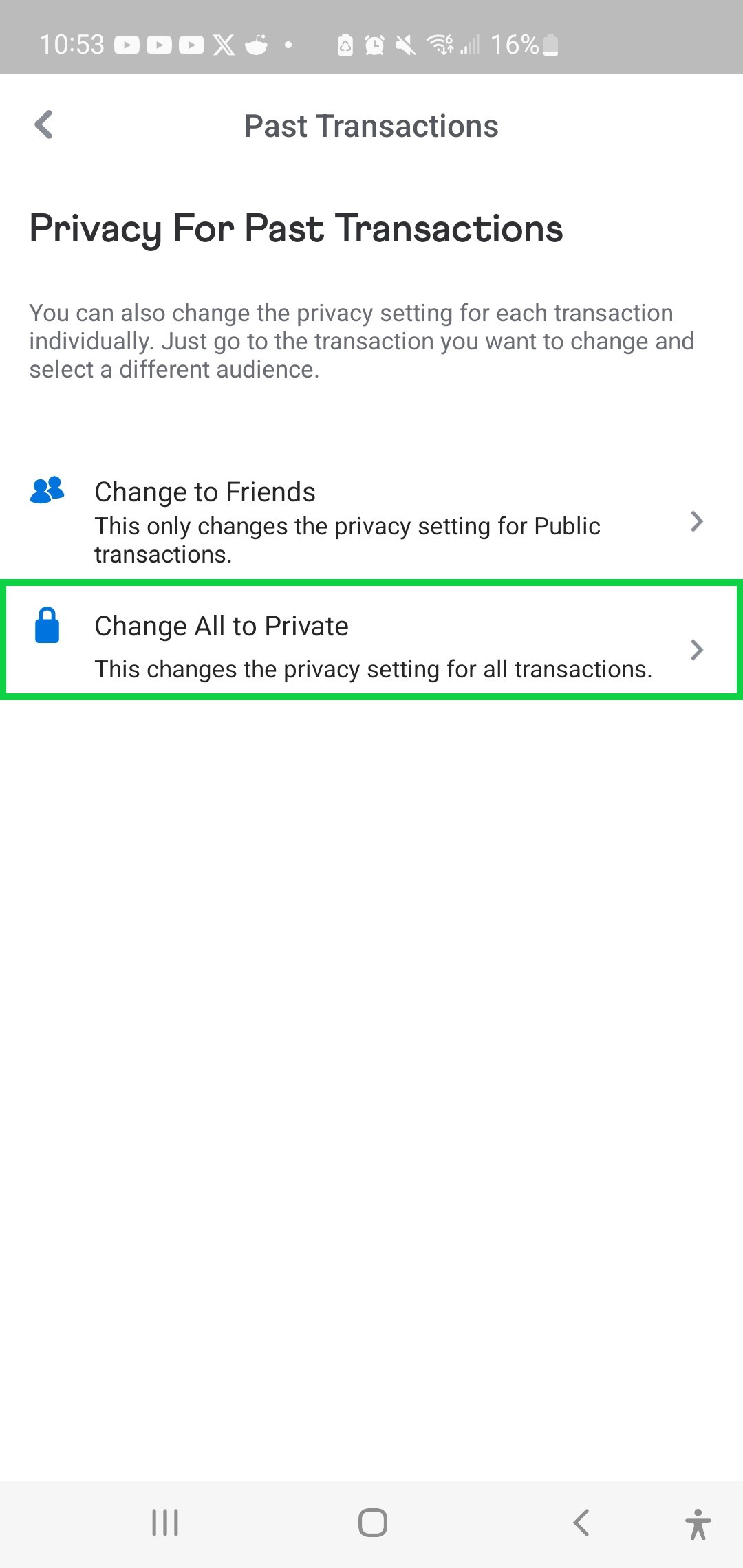
Update Past Transactions: Still in the Privacy section, look for "Past Transactions" or "More." Tap it, then select "Change All to Private." Confirm the action (you may need to do this twice for verification).
- Secure Your Friends List:
- For maxiumum privacy, while you're in Privacy, tap "Friends List" under "More".
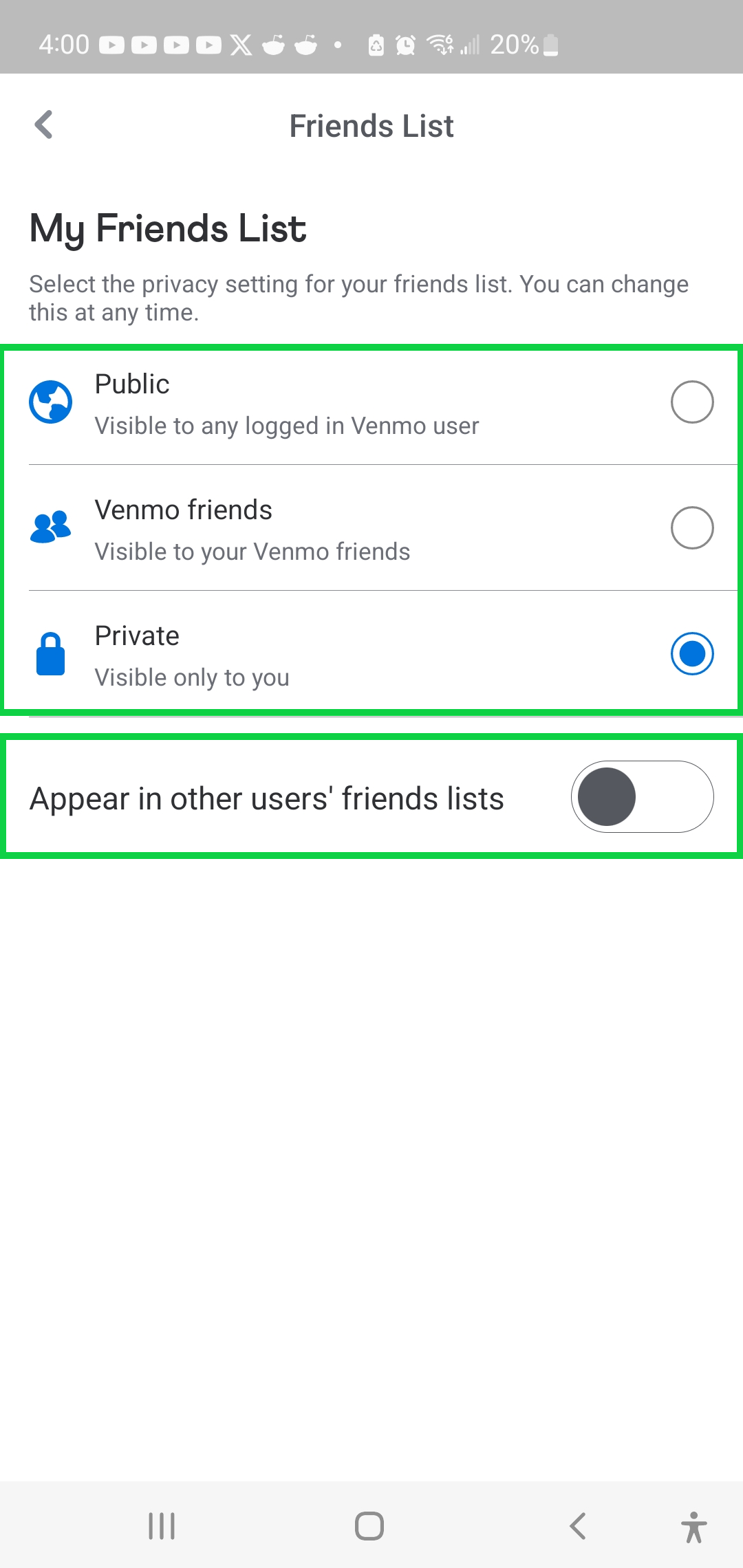
- Set My Friends List to "Private."
- Also, toggle off "Appear in other users’ friends lists" to prevent showing up in others' networks.
What about Business Accounts on Venmo?
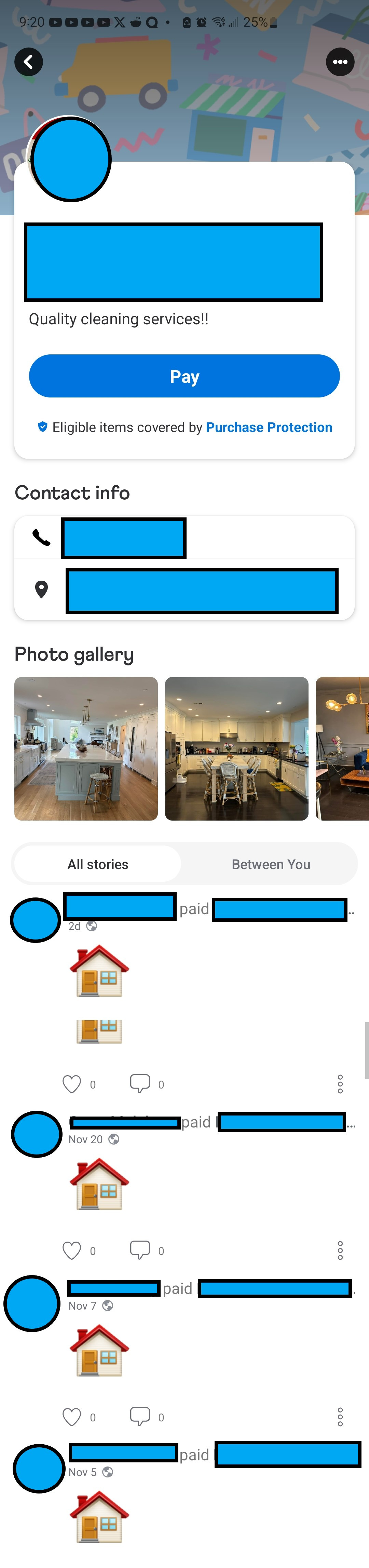
A cursory search by me found two businesses. One has their transactions public which shows every single person that has sent them money. The problem with this is a malicious actor could pretend to be this business and contact someone from that list. We know they just conducted a transaction so hard would it be to send a fake invoice or spoof a cell number number, etc?
The other business I found, Premier Movers, LLC, is doing it correctly. They have all of their business details but obfuscate the payment transitions with clients.
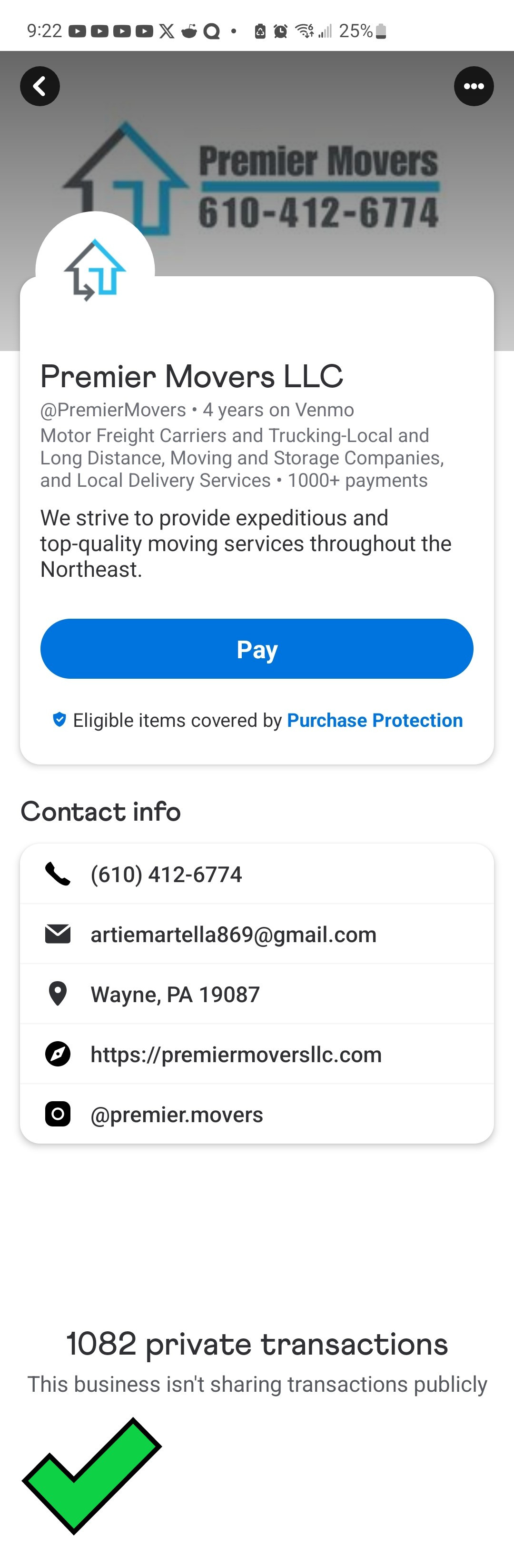
(Since they're doing it right, I haven't obfuscated their profile)
In Conclusion - Data is a form of currency
With the settings on your Venmo account changed to the suggestions above you’ll have protected another account, and protected access to your data.
Venmo's public default means your payments aren't just visible to your friends—they're often accessible to friends of friends or even complete strangers scrolling through global feeds. This exposes a surprising amount of personal information. For instance, transaction descriptions like "pizza " or "drinks " can reveal your social habits, such as who you're hanging out with and where. This level of visibility can lead to unwanted attention. Imagine an ex-partner or online troll piecing together your routines from public payments, or coworkers gossiping about your weekend splurges. High-profile individuals aren't immune either; a Consumer Reports investigation found that billionaires, members of Congress, White House aides, and celebrities have left their Venmo data exposed, revealing networks of relationships and activities.
Want to go further?
- If you need help with any of your Venmo issues or want to discuss your personal Operational Security (Op Sec)? Contact me here for a consultation: https://cybernexusadvisors.eo.page/contactform
- Sign up for my recommended anti-malware solution, Malware Bytes premium, and get 55% off:
https://share.malwarebytes.com/x/3Wc58k
- If this article was helpful to you please use my Amazon affiliate link. Shop as normal on Amazon and I make a small commission of whatever you purchase:
Thank you for reading,
Dave
Sign up for The Nexus Intelligence
Stay ahead of cyber risks and industry trends by subscribing to Cyber Nexus Advisors’ expert updates and strategic guidance.